How to send in documents
We may ask you to send us a few documents to verify we have all the information we need for your Robinhood account. We’ll send details about which documents we need, why we need them, and how to submit them.
Submit documents through the app
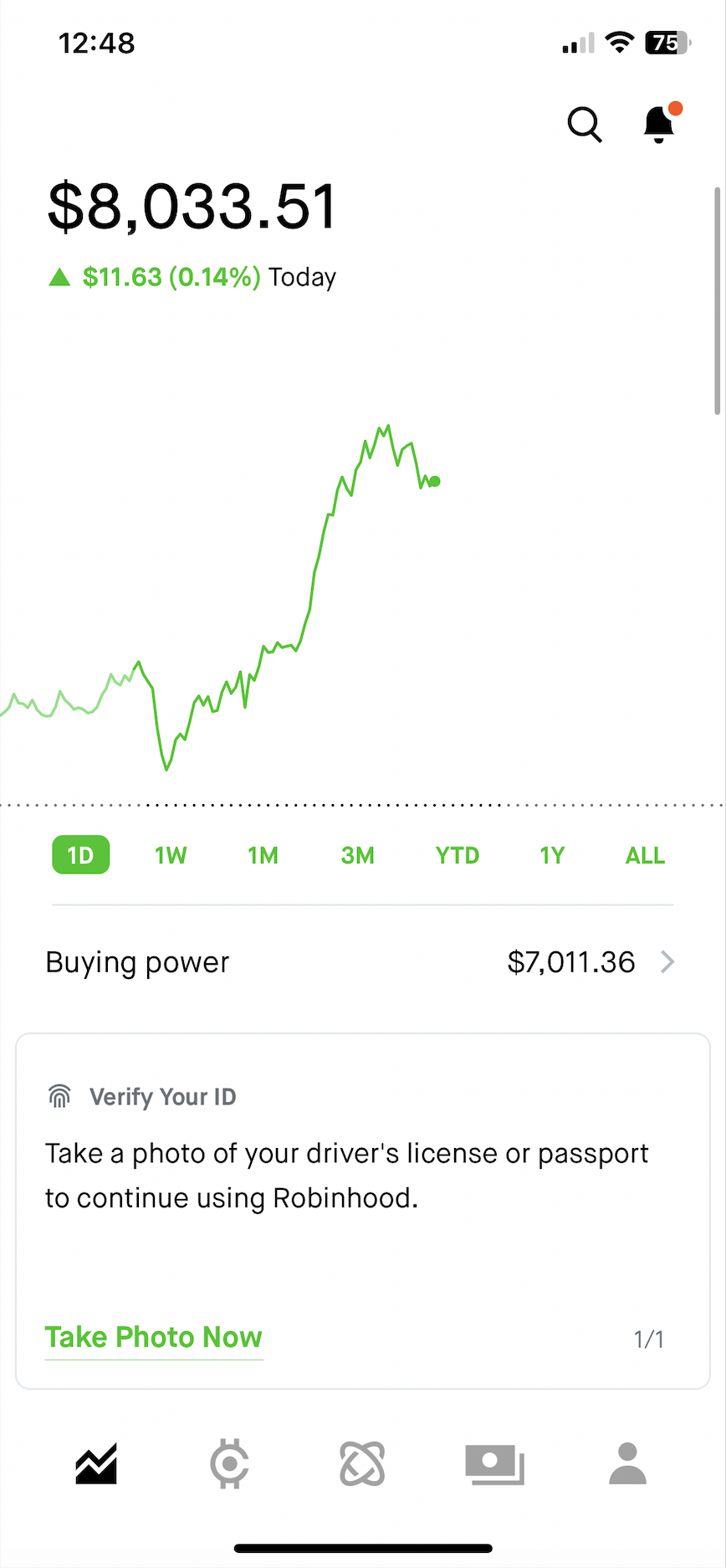
- If prompted to upload a document in the mobile app, you’ll see instructions to take a photo of your document
- In Investing, select Take Photo Now
- Select the type of document (if applicable)
- Follow the on-screen instructions to take a photo of your document
Submit a PDF through the app
- If prompted to upload a PDF bank statement within the app, you’ll see instructions to submit your document
- Download the most recent PDF statement from your banking institution’s app or website and save to your files
- Select Upload PDF Statement on the card to pull up your files on your device
- Select the PDF statement from your files
- Follow the instructions to submit your PDF document
If we can’t read your document, we’ll send you tips for submitting a successful submission.
Upload documents through our secure file portal
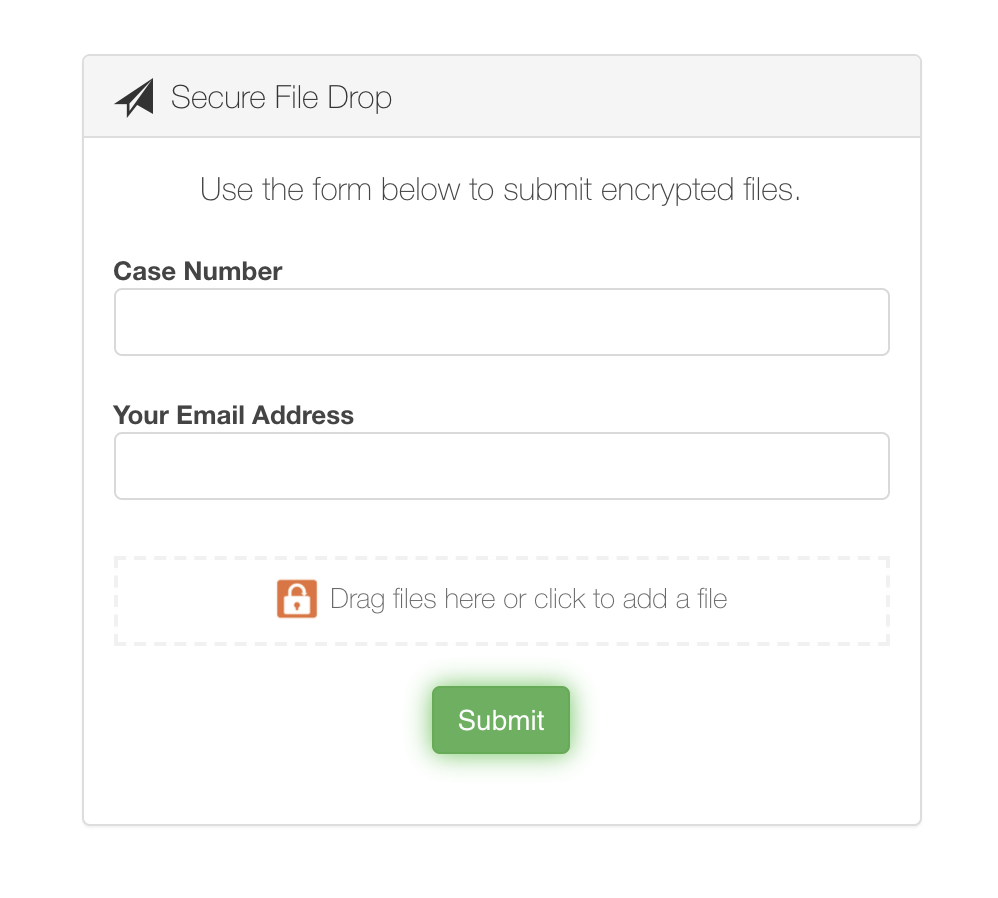
- If prompted to upload a document to our secure file portal, we’ll send you an email with a secure link to upload your document
- Enter in your Case ID (in your chat or email from us)
- Enter your email address
- Drag and drop to attach your file → Submit
- Reply to the email from us containing the upload link to confirm you submitted your document so that we can begin the review process
Troubleshooting
The following are a few reasons why you might be getting an error message when sending us documents.
Is your PDF file password protected?
If so, remove the password from your PDF statement, and then send it again.
Is your file too large?
The file size limit is 10 MB. Reduce the size by removing blank pages and compressing the PDF to the lowest size option available.
Is the file unreadable?
Review the following tips for the different documents you might be sending us.
| Document type | Where to upload | Tips |
| Drivers license or State ID | mobile app | Make sure all 4 corners of your ID are included in your photo. |
| Passport photo page | mobile app | Make sure your entire passport photo page is visible in your photo. |
| Bank statement | mobile app or secure file portal | When submitting through the app, you'll be prompted to take a photo or upload a PDF copy of your most recent bank statement (either digital or paper). We can accept a photo of the PDF statement on your computer screen as long as all of the details are clear and legible. |
| Social Security card | mobile app | We’ll need a photo of the original document with a handwritten signature. We can't accept a photo of a computer screen or a photo of a photocopy. You can request a replacement card if yours is lost. |
| Permanent Residency card | mobile app or secure file portal | Make sure all 4 corners of your card are included in your photo. |
| 3210 letter | mobile app or secure file portal | Submit a PDF that includes your name, your firm’s letterhead, a handwritten signature from your firm’s compliance department, and your employer’s physical address. |
Was this article helpful?
Reference No. 4527991
Still have questions? Contact Robinhood Support